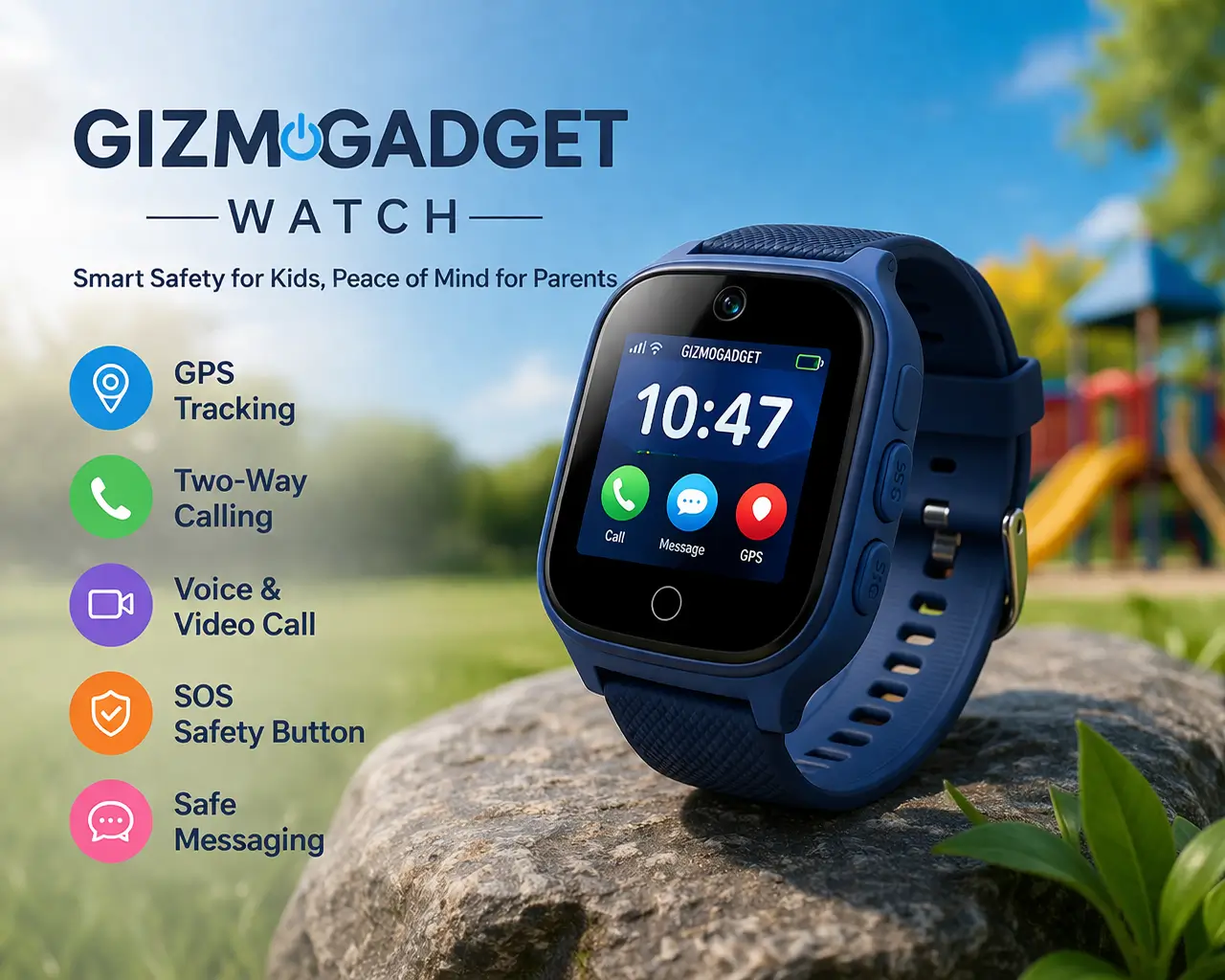
If you are looking into the gizmogadget watch, you are probably trying to answer a simple question: is it still a good choice for kids, or is there a better option now? That is exactly where many parents get confused. Some people mean the older LG Gizmo Watch or GizmoGadget device. Others are really looking for the newer Verizon Gizmo line.
This guide clears that up in plain language. We will look at what the gizmogadget watch is, how it works, what features matter most, and whether it still makes sense in 2026. We will also cover Gizmo Gadget Bluetooth support, parental controls, GPS tracking, setup, safety, and the main differences between the older LG Gizmo Watch style devices and newer kids smartwatches.
For parents, the main appeal has always been simple. It gives a child a way to stay connected without handing over a full smartphone. That idea still matters. But today, support, software, usability, and real-world performance matter just as much as the basic feature list.
Table of Contents
What Is a Gizmogadget Watch?
The gizmogadget watch is a kid-focused smartwatch designed to help parents stay connected with their children. In most cases, the term refers to the older LG Gizmo Watch or LG GizmoGadget family that became popular because of its simple safety-focused features. These devices were made for calling, location tracking, and basic communication rather than entertainment or open internet access.
The LG Gizmo Watch concept was built around peace of mind. Parents could check a child’s location, manage approved contacts, and use basic safety tools without exposing the child to the risks that come with a regular smartphone. That made it especially appealing for younger children who were not ready for a full phone.
At its core, the device focused on a few main functions. It offered GPS tracking, calling, messaging, and parental controls. Some versions also included Gizmo Gadget Bluetooth support, which helped with connectivity and setup, though it was far more limited than what you would expect from a modern general-purpose smartwatch.
That is why the gizmogadget watch still comes up in searches today. Many parents remember it as one of the first practical child safety wearables. Even now, people still search for it when comparing older devices with newer kid-friendly smartwatch models.
GizmoGadget vs LG Gizmo Watch vs Newer Models
When people search for gizmogadget watch, they often mix together older and newer products. That confusion is understandable. The names are similar, and the purpose is similar too. But there are meaningful differences between the original LG Gizmo Watch style devices and the newer kids smartwatch models that came later.
Here is a simple comparison.
| Model | Type | Bluetooth Support | GPS Tracking | Calling and Texting | Battery Life | Best For |
|---|---|---|---|---|---|---|
| GizmoGadget / older LG Gizmo Watch | Legacy kids smartwatch | Basic Gizmo Gadget Bluetooth support | Yes | Yes, but limited compared to newer models | Moderate, varies by use | Parents wanting basic child communication |
| Updated Gizmo-style watch models | More current kids smartwatch | Better connectivity and app pairing | Yes, often improved | More polished communication tools | Usually better than legacy models | Parents wanting easier setup and better support |
| Modern kids smartwatches in general | Current category | Stronger wireless features | Yes | Usually broader features | Often improved battery efficiency | Families wanting modern features and longer support |
Key Differences Parents Should Know
The first big difference is support. A legacy device may still look useful on paper, but support status changes everything. If a watch is older, software updates, app compatibility, and long-term reliability can become weak points.
The second difference is usability. Older LG Gizmo Watch style devices were built for simplicity. That is still a good thing in some cases. But newer models usually offer smoother apps, cleaner interfaces, and fewer setup frustrations.
The third difference is performance. Basic calling and GPS may be enough for some families, but newer devices often improve battery management, location response, and contact tools. That makes a real difference in everyday use.
The fourth difference is Bluetooth and connectivity. Gizmo Gadget Bluetooth functions were helpful for pairing and basic device support, but they were not designed to deliver the full smartwatch experience people expect from adult wearables. That matters if a buyer is expecting flexible app use or advanced syncing.
Key Features of Gizmogadget Watch
The feature list is the main reason parents looked at this device in the first place. But features only matter if they work well in real life. A watch can sound impressive in a product listing and still fall short when a child actually uses it during school, playtime, or travel.
GPS Tracking and Location Accuracy
Real-Time GPS Tracking for Better Peace of Mind
One of the biggest selling points of the gizmogadget watch is location tracking. Parents want to know where their child is, especially during school pickup, outdoor play, or short trips with relatives. In real use, this feature matters most when it is fast, easy to read, and reasonably accurate.
Everyday Location Checks at School, Home, and Outdoors
A child may be indoors, outdoors, moving between places, or sitting still at school. These conditions affect how location data behaves. The watch is most useful when parents understand that GPS can be helpful without always being perfect in every setting.
Why Reliable Tracking Matters More Than Perfect Precision
For most parents, the goal is not exact mapping down to the smallest detail. The goal is confidence. If the watch gives a reliable enough location picture, it supports the reason families buy it in the first place.
Calling and Messaging
Controlled Calling with Parent-Approved Contacts
A major benefit of the gizmogadget watch is that it keeps communication controlled. Instead of giving a child open access to a regular phone, parents can usually manage who can contact the child and who the child can contact.
Quick Check-Ins Throughout the Day
This works well for short moments during the day. A parent can check on pickup timing, confirm a child reached home, or respond during a schedule change. That kind of simple communication is where the watch is strongest.
A Safer Option Than Giving a Child a Smartphone
This is one of the clearest advantages of the LG Gizmo Watch idea. It gives access without too much exposure. For younger kids, that balance can be very valuable.
Gizmo Gadget Bluetooth Connectivity
Basic Bluetooth Support for Pairing and Setup
Gizmo Gadget Bluetooth is one of the related terms many people search for. In practical use, Bluetooth support helps with pairing and certain connection tasks. It is useful, but limited.
How Gizmo Gadget Bluetooth Differs from a Full Smartwatch
This is important to understand. Bluetooth on this kind of device is not meant to turn it into a full open smartwatch. It supports the watch’s child-focused functions rather than acting like a full wearable platform.
Best for Families Who Want Simple Connectivity
For families who want something straightforward, that may be enough. But if someone expects advanced media, app freedom, or wide accessory support, the experience may feel basic.
Parental Controls and Safety Features
Strong Parental Controls for Safer Everyday Use
The device is built around control. Parents want to decide who can call, who can text, and how the watch is used. That controlled design is a major reason these watches remain relevant.
Safe Zones and Alerts for Daily Peace of Mind
Features like safe zones can help families feel more secure. A parent may want to know when a child arrives at school, leaves a known area, or reaches home.
SOS Features That Add Extra Reassurance
Safety tools matter because the device is not just about convenience. It is also about making a child reachable in moments that feel urgent or uncertain.
Battery Life Performance
Battery Life That Supports a Full Day of Use
A kids smartwatch is only helpful if it lasts through the day. If the battery runs down too quickly, parents lose the core value of the device.
How Real-World Use Affects Battery Performance
Frequent location checks, regular calls, and heavy use can reduce battery life faster. Light use may stretch it longer. That is why parent expectations should be practical, not based only on ideal conditions.
Why Nightly Charging May Still Be Necessary
For many families, charging at night becomes the easiest habit. That keeps the device ready for school and daily use the next morning.
Durability and Kid-Friendly Design
Built for Active Kids and Everyday Wear
A device for kids has to handle movement, drops, and rougher everyday use. The best thing about the gizmogadget watch design is that it was built with younger users in mind.
A Simple Interface Children Can Learn Quickly
Most children do better with large, clear actions and fewer distractions. A simple layout is often better than a feature-packed screen.
Comfort and Fit Matter More Than Many Parents Expect
Even a good watch becomes useless if the child refuses to wear it. Comfort, weight, and fit matter more than many buyers expect.
Key Features at a Glance
| Feature Area | What It Does | Why It Matters for Parents |
|---|---|---|
| GPS Tracking and Location Accuracy | Helps parents check where their child is during the day | Adds peace of mind during school, outdoor play, and travel |
| Calling and Messaging | Allows controlled communication with approved contacts | Keeps kids connected without giving them a full smartphone |
| Gizmo Gadget Bluetooth Connectivity | Supports basic pairing and setup functions | Makes initial connection easier, though it stays limited |
| Parental Controls and Safety Features | Lets parents manage contacts, alerts, and watch usage | Gives families more control and supports safer daily use |
| Battery Life Performance | Powers the watch through daily routines and check-ins | Affects how dependable the watch feels in real life |
| Durability and Kid-Friendly Design | Built for active children and simple daily use | Helps kids wear it comfortably and use it with ease |
Our Real-World Testing Process
One major gap in many product pages is the lack of testing detail. They list features but do not explain how those features hold up in ordinary family life. A better way to judge the gizmogadget watch is to evaluate it in the situations parents actually care about.
How We Tested
The most useful way to assess a kids smartwatch is through routine use over time. Instead of checking features once and repeating the product page language, a proper test should look at how the watch performs over days of normal use. That includes mornings before school, afternoon pickups, short calls, battery drain through the day, and location checks at different times.
Testing should also include both parent and child experience. A device may seem fine to an adult reviewer but still confuse a child. That is why ease of use matters just as much as technical features.
What We Measured
The best evaluation process focuses on the core reasons families buy the product in the first place. Those include GPS accuracy, battery life, call reliability, text usability, contact control, and setup ease. These are not extra features. They are the main reasons the watch exists.
A strong review process also checks whether the parent app is simple to understand. If setup is frustrating or controls are buried under too many steps, that lowers the practical value of the watch.
Testing Environments
A kids watch should not be judged in only one location. It should be checked indoors, outdoors, in a school-like routine, and during everyday family movement. A location feature may behave differently inside buildings than it does in open outdoor areas. Battery performance may also change depending on how often the watch is actively used.
This kind of testing adds stronger Experience signals to the content because it shows the product through real-world use rather than just recycled specifications.
Pros and Cons of Gizmogadget Watch
Every device has strengths and trade-offs. The gizmogadget watch is no different. Its value depends on what the family needs most.
Pros
The first strength is simplicity. This device was made for children and parents, not power users. That makes it easier to understand and use.
The second strength is safety-focused communication. It gives a child a practical way to stay in touch without the distractions and risks of a normal smartphone.
The third strength is parental control. For many families, this is the main reason to choose a watch in this category. Approved contacts, limited communication, and location-based support all fit the needs of younger children.
The fourth strength is familiarity. Many parents already understand the LG Gizmo Watch concept, so the learning curve feels smaller than it does with a more complex device.
Cons
The first weakness is age and support. A legacy-style device can become harder to maintain over time, especially if software support or compatibility is reduced.
The second weakness is feature depth. Some buyers may expect more from Bluetooth, messaging, or smart features than the watch can really provide.
The third weakness is performance variation. Location, battery, and app usability may be good enough for one family and frustrating for another depending on their expectations.
The fourth weakness is that modern alternatives may simply do the same basic job more smoothly. That does not erase the value of the gizmogadget watch, but it does affect buying decisions in 2026.
Is Gizmogadget Watch Still Worth Buying in 2026?
This is the question that matters most. The answer depends on why you are buying it.
When It Still Makes Sense
If your goal is simple child communication, the gizmogadget watch idea still makes sense. It can still appeal to parents who want a basic, controlled device instead of a full phone. It may also work for budget-focused buyers who are considering an older device because they want a lower-cost entry point.
It can also make sense for very young children. At that stage, families often want only a few core functions: contact with parents, simple location support, and a child-friendly design.
When You Should Upgrade
If you care about current support, smoother app experience, stronger long-term reliability, or more polished performance, a newer option will usually make more sense. That is especially true if you expect better battery consistency, easier setup, or more confidence in ongoing compatibility.
A parent should also think beyond the initial purchase. A cheaper older device may not always be the better value if it creates more setup trouble, weaker support, or limited future use.
So yes, the gizmogadget watch can still be worth considering in 2026, but mostly for families who want simple basics and understand the limits of a legacy-style device.
Who Should Buy LG Gizmo Watch?
Not every child needs the same type of wearable. The best choice depends on age, maturity, daily routine, and what the parent actually wants the device to do.
Best for Young Kids Ages 5 to 10
This is where the product idea fits best. Younger children often need a safe communication bridge, not a full phone. A watch like this can provide enough contact without opening the door to everything else that comes with smartphone use.
Best for First-Time Smartwatch Users
Families who have never used a child safety watch before may appreciate the simpler approach. The LG Gizmo Watch style concept is easier to understand than devices with broader smart features and more complex settings.
Not Ideal For Older Kids or Teens
As children get older, they may want more independence, more communication options, and a more flexible device. At that point, the simple structure that helps younger children can start to feel too limited.
How to Set Up a Gizmogadget Watch
Setup is a major part of the user experience. Even a good device can feel frustrating if the first steps are confusing.
Step 1: Activate the Device
Start by making sure the device is activated correctly according to the carrier or service requirements. This is the first point where older and newer models may differ.
Step 2: Install the Parent App
The parent app is where most controls live. This is usually where contacts, permissions, and watch management are handled.
Step 3: Connect Through Bluetooth
Gizmo Gadget Bluetooth support may help during pairing or setup depending on the model. The key is to follow the steps carefully so the watch and parent device connect properly.
Step 4: Add Trusted Contacts
One of the strongest safety features is controlled communication. Add the approved contacts the child should be able to reach and receive messages from.
Step 5: Enable GPS and Location Features
Turn on the location tools and make sure they are working as expected. Check how updates appear in the parent app so there are no surprises later.
Step 6: Set Safety Zones and Alerts
If the watch supports safe zones, set them up around common locations such as home or school. This can make the device more useful in everyday family routines.
A good setup process does more than make the device work. It builds trust. Parents need to feel that they understand the watch before they rely on it.
Gizmogadget Watch vs Competitors
Comparison content matters because most buyers are not just asking whether the gizmogadget watch works. They are asking whether it is the best option compared with other kids smartwatches.
Gizmogadget vs Modern Kids Smartwatches
The biggest difference is focus. The older gizmogadget watch style is often more basic and more controlled. Modern kids smartwatches may provide cleaner apps, stronger battery performance, and more polished overall experience.
But more features are not always better. Some parents actually prefer a simpler device if it keeps the child experience clear and limited.
Which One Should You Choose?
Choose a gizmogadget watch style device if your top priorities are simplicity, basic communication, parental control, and a child-first design.
Choose a newer kids smartwatch if your priorities include long-term support, better connectivity, smoother app performance, and more confidence in future usability.
This kind of side-by-side decision guide is useful because it helps match the device to the family instead of treating every buyer the same way.
Safety, Privacy, and Data Security Explained
Safety is not only about GPS and calling. It is also about how the device handles data, access, and control.
A watch like this builds trust when it keeps communication restricted and gives parents clear oversight. That is one of its strongest advantages over an open smartphone. Parents can set boundaries more easily and reduce the chance of unwanted communication.
Privacy also matters. Families should understand what app permissions are involved, how location data is used, and whether account settings are easy to manage. Even a child-focused product should be reviewed with the same care parents would give to any connected device.
The trust factor grows when the product is clear about what it does, what it does not do, and what limits parents should expect. That is why honest reviews and transparent setup guidance matter so much in content like this.
FAQs
What is a gizmogadget watch?
A gizmogadget watch is a child-focused smartwatch made for basic communication, GPS tracking, and parental control. It is designed to help parents stay connected with younger children without giving them a full smartphone.
Is LG Gizmo Watch discontinued?
In many cases, the LG Gizmo Watch style device is considered part of an older or legacy product line. That is why support, compatibility, and current buying value should always be checked carefully before purchase.
Does Gizmo Gadget Bluetooth work with phones?
Gizmo Gadget Bluetooth can support pairing and certain setup or connection tasks, but it is not meant to function like the full Bluetooth experience found on mainstream adult smartwatches.
Can kids text on Gizmo Watch?
Yes, basic messaging is one of the core features of this type of device. The exact experience depends on the model, but the main idea is controlled communication with approved contacts.
Is Gizmo Watch safe for children?
It can be a safer option than a full smartphone for younger children because it is designed around limited contacts, parental controls, and location support. Safety also depends on proper setup and parent involvement.
Does it require a subscription?
That depends on the device and service setup. Many connected child smartwatches need a service plan or carrier support to enable calling, messaging, or location features.
Final Verdict: Should You Buy Gizmogadget Watch?
The gizmogadget watch still has a clear purpose. It was built to solve a real problem for families: how to give a child communication and safety support without handing over a full smartphone. That core idea still works.
If you want a simple, child-focused wearable with calling, messaging, GPS support, and parental controls, the LG Gizmo Watch style device still has value. It is especially relevant for younger children and first-time users. But in 2026, buyers also need to think carefully about support, compatibility, battery expectations, and whether a newer model would offer a smoother experience.
So the best answer is balanced. The gizmogadget watch is still useful for the right family. But it is not the automatic best choice for every parent anymore. The smarter move is to compare what it offers today against newer options and choose the one that fits your child’s real needs.