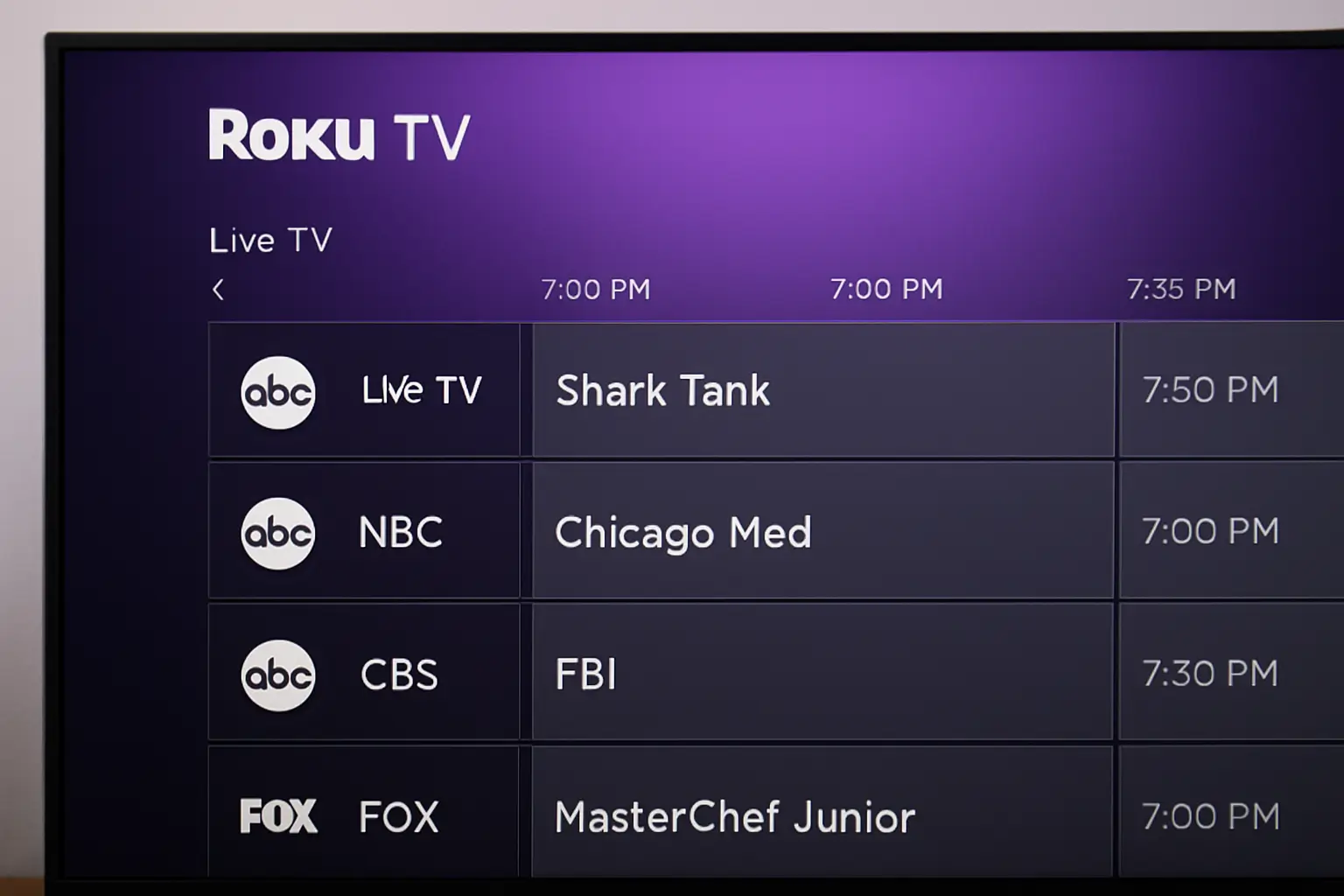
Roku TV Guide shows live shows and free channels in one place. Includes printable guide PDF, channel numbers, local TV, and Roku TV Guide app help for quick browsing every day.
Key Takeaways
This Roku TV Guide helps you find channels and schedules fast.
- Roku TV Guide includes live and free channels
- You can print or save a Roku TV Guide PDF
- Channel numbers help you sort shows
- Local TV shows appear after antenna scan
- Guide app makes browsing easier
That gives you clear control of your TV every time.
Introduction
If you want a simple way to find shows on a Roku device you need a Roku TV Guide that shows live channels, lineups, and free TV.
This article gives clear steps, tips, and examples for the Roku TV Guide list, Roku TV Guide printable, and Roku Live TV channel number list free.
I wrote this from years of helping people switch from cable to Roku. You will see how to use it today.
Table of Contents
How I Helped Someone with Roku TV Guide
One person bought a Roku TV but could not find local channels.
I walked them through Live TV setup, scanning antenna, and using the guide.
I showed them where to find the Roku TV Guide app, how to print a PDF, and use channel numbers.
They had a working free TV guide in minutes.
What Roku TV Guide Does
Roku TV Guide shows all your live and free channels with times and names.
It blends local OTA channels and internet channels into one grid. You can sort by channel number or category.
It works on Roku TV models and the Roku Channel app across devices. It makes finding news, sports, and shows easier fast.
How the Guide Displays Channels
Roku TV Guide lists channel numbers down the side and times across the top.
Channels include free ones from Roku Live TV channel number list free and local stations after scanning an antenna.
You scroll up and down to pick channels and left to right to see show times. You can add favorites for quick access.
How to Use Roku Live TV Guide
To use the Roku Live TV Guide you must first open it on the Roku home screen.
Press the Live TV icon or find the guide tile.
The guide shows channel names, current shows, and future time slots.
What You See First
When the guide opens you see a list of channels and their show schedules.
It shows currently airing programs and upcoming ones for hours ahead.
The guide includes local and free channels at once so you do not need separate apps.
Navigation Steps
• Press Live TV Guide on your Roku remote.
• Scroll up or down for channels.
• Move left or right for time slots.
• Press * on remote to open sort options.
• Choose “Sort by channel number” to match the Roku Live TV channel number list free.
• Use voice search on remote to find specific shows fast.
This method helps you find what you want without guessing.
Why Channel Numbers Matter
Channel numbers let you find stations quickly when you know the number.
A list of channel numbers saves time when scanning for local news channels or network shows.
Many Roku users print or save a Roku TV Guide printable so they have numbers handy.
Printable Roku Guide PDF and Tools
You can get or make a Roku TV Guide PDF or printable TV guide list.
These are files you save, print, or view offline.
What Printable Guides Include
Printable guides often list channel numbers, names, and times.
They include free channels from the Roku Channel, local OTA channels, and common live channels.
Some let you add your own notes.
Download or Print Steps
• Find a community guide online.
• Click the PDF link.
• Open in any browser or viewer.
• Print or save to phone or tablet.
You can also export lists from spreadsheet apps.
When to Use Printables
You might print when you want a physical schedule, to plan week shows, or share with family.
It also helps if internet is slow or your TV is offline.
Guide Comparison Table
| Feature | What It Shows | Format | Cost |
| Live TV Guide | Current shows, schedule | On Roku | Free |
| Roku TV Guide PDF | Channel list, times | Printable | Free |
| Roku Channel app | Live and on‑demand | App | Free |
Roku Live TV Channels and Local Listings
Roku Live TV includes a growing list of free channels across news, sports, and entertainment.
Free Roku Live TV Channel List
The Roku Channel now offers over 560 free live channels with news, movies, and more.
This includes channels like news streams and themed content channels.
It is one of the largest free live channel lists available on Roku devices.
You do not need a pay TV subscription for these.
Local OTA Channels
When you connect an antenna and scan, Roku adds your local ABC, CBS, NBC, FOX, and PBS stations.
These appear directly in the Live TV Guide with local scheduling info.
Finding Channels Fast
You can filter the guide by favorites, genre, or number. Sorting helps you see only local or only free channels if you want.
Roku TV Guide App Features and Tips
The Roku TV Guide app lets you browse and find channels across devices.
It syncs with Roku TV devices and mobile devices where the Roku Channel app is installed.
Guide App Overview
With the Roku TV Guide app you get the same channel grid as your TV on your phone or tablet.
You can open show info, set favorites, and jump to content.
The app also lets you start shows from mobile for some services.
Customizing Your Guide
• Hide channels you rarely watch.
• Mark favorites to show at top.
• Rescan OTA channels to refresh local listings.
• Use voice search if you have a Roku voice remote.
Pro Tip
If local guide info goes blank after a scan, remove Live TV input then set it up again with your ZIP code.
This refreshes local station metadata so you see names and logos in the grid.
Expert Quote
“Channel numbers and a clear grid make live TV easy to browse on Roku.” — TV Guide Expert Ellen Park
Troubleshooting Common Guide Problems
Sometimes the guide may not show channels or listings. Troubleshooting fixes that quickly.
Guide Shows No Channels
If nothing appears in your guide first check network connection. Restart your Roku device and open Live TV again.
Some users open the Live TV tile directly instead of from the main menu to fix this.
Missing Local Info
Missing local station details often means your antenna scan did not finish or your ZIP code is wrong.
Rescan antenna and confirm your location in Live TV settings.
Channel Numbers Disappear
Roku sometimes hides channel numbers for streaming or free channels. Press * then choose sort by channel number.
If it still fails, update Roku software under Settings > System > System update.
Conclusion: Get the Most From Roku TV Guide
Roku TV Guide brings free and local live channels into one easy list. You can navigate shows with channel numbers, print a PDF, and find favorites fast.
Use the guide app to browse on any device. Keep your guide updated with rescans. Start by downloading a printable Roku TV Guide and set favorites today.
This gives you a better browsing experience every time.
Frequently Asked Questions
How Do I Update Roku live Channel Listings?
Go to Settings > System > System update. This refreshes channel data and adds new free channels into your Live TV Guide.
Can I Hide Channels in my Roku Guide?
Yes. Open the guide, press * on remote, choose manage channels, then hide the ones you don’t want.
Is Roku Live TV Free Without Subscription?
Yes. Roku offers free live channels through the Roku Channel and others without any paid subscription.
Citations
https://support.roku.com. Roku TV Guide