

If you want whole-home Wi-Fi without paying monthly fees, the best mesh WiFi systems without subscription can deliver strong coverage, simple setup, and reliable performance for everyday streaming, work, and gaming.
Below, we focus on systems that work well as router replacements, offer practical coverage for different home sizes, and help you avoid locked-in cloud services or extra add-ons.
Best 10 Mesh WiFi Systems Without Subscription Picks for 2026
Best Value Wi‑Fi 6 Mesh
TP-Link Deco X55 AX3000 3-Pack

- Up to 6,500 sq. ft. coverage
- Supports up to 150 devices
- 3 Gigabit ports per unit with Ethernet backhaul
Best For: Large households wanting a simple, subscription-light Wi‑Fi 6 mesh system
Renewed Home Coverage Pick
NETGEAR Nighthawk MK63S AX1800 3-Pack

- Up to 4,500 sq. ft. coverage
- Supports 25 devices
- Single network name for seamless roaming
Best For: Homes that want an affordable renewed mesh setup with easy roaming
Premium Tri-Band Upgrade
TP-Link Deco XE75 AXE5400 3-Pack

- Wi‑Fi 6E tri-band with up to 7,200 sq. ft.
- 6 GHz band can stabilize backhaul
- Supports up to 200 devices
Best For: Large, busy homes that want the extra speed and stability of Wi‑Fi 6E
Easy Gigabit Starter Mesh

- Supports internet plans up to a gigabit
- Covers up to 4,500 sq. ft.
- Built-in smart home hub for Thread and Zigbee
Best For: Users who want an easy-to-set-up mesh system for gigabit internet and smart-home devices
Certified Refurbished Pick
Netgear Nighthawk AX3000 3-Pack

- Wi-Fi 6 AX3000 dual-band mesh system
- 3-pack includes 1 router and 2 satellites
- Certified refurbished for a lower-cost buy
Best For: Buyers wanting a value-focused Wi-Fi 6 mesh setup
Coverage-Focused Value Pick

- Up to 5,500 sq. ft. of mesh coverage
- Single network name with seamless roaming
- Parental controls and wired backhaul support
Best For: Large homes needing affordable, subscription-free mesh coverage
Future-Proof Premium Pick

- Wi-Fi 7 mesh with support up to 2.5 Gbps
- 3-pack covers up to 6,000 sq. ft. and 120+ devices
- Optional eero Plus only for advanced security extras
Best For: Tech-forward homes wanting Wi-Fi 7 mesh coverage
Reliable Whole-Home Starter

- Up to 5,500 sq. ft. coverage
- Single network name for roaming
- Free lifetime HomeCare security
Best For: Large homes that want easy setup and included security tools
Wi-Fi 6 Smart Home Pick
- Up to 4,500 sq. ft. coverage
- Supports 75+ devices on Wi-Fi 6
- Built-in Zigbee hub for Alexa
Best For: Smart homes and busy households that want simple expansion
Budget Mesh Value
- Up to 6,000 sq. ft. coverage
- Supports up to 90 devices
- Guest network and app setup
Best For: Budget-minded households needing easy whole-home coverage
Best Value Wi‑Fi 6 Mesh – TP-Link Deco X55 AX3000 3-Pack
If you want one of the more practical mesh WiFi systems without subscription clutter, the TP-Link Deco X55 is a straightforward pick. It offers Wi‑Fi 6 coverage for larger homes, supports Ethernet backhaul, and is designed to replace a traditional router and extender setup with a single app-managed network.
Best For: Households that want wide Wi‑Fi 6 coverage, lots of device support, and a simple no-fuss mesh setup.
Pros:
- Covers up to 6,500 sq. ft. in a 3-pack configuration.
- Supports up to 150 devices for busy homes.
- Each unit includes 3 Gigabit Ethernet ports and supports wired Ethernet backhaul.
- Includes no-cost security features like basic network security, QoS, and parental controls.
Cons:
- HomeShield premium security features are separate from the included basic tools.
- Dual-band design may not match tri-band systems in the busiest networks.
The Deco X55 is a strong all-around choice if you want solid coverage and control without paying for a subscription to make the system usable. It balances speed, range, and wired expansion well for most homes.
Renewed Home Coverage Pick – NETGEAR Nighthawk MK63S AX1800 3-Pack
The NETGEAR Nighthawk MK63S is a practical choice for shoppers comparing mesh WiFi systems without subscription extras and wanting a renewed 3-pack option. It delivers Wi‑Fi 6 coverage for medium-to-large homes, uses a single network name for roaming, and includes app-based setup and management.
Best For: Buyers who want a renewed mesh system for whole-home coverage and simple roaming.
Pros:
- Covers up to 4,500 sq. ft. and supports 25 devices.
- Single network name helps with seamless room-to-room roaming.
- Includes 3 total Gigabit Ethernet ports across the router and satellite.
- Works with any internet provider, including cable, satellite, fiber, and DSL.
Cons:
- Renewed condition may matter to buyers who prefer brand-new hardware.
- Lower device capacity than some competing mesh systems.
This system makes sense if you want decent whole-home performance and easy roaming without overcomplicating the setup. It is a solid fit for homes that do not need the largest device count or the newest premium mesh tier.
Premium Tri-Band Upgrade – TP-Link Deco XE75 AXE5400 3-Pack
For shoppers comparing mesh WiFi systems without subscription requirements and looking for a more advanced option, the TP-Link Deco XE75 stands out with Wi‑Fi 6E and a dedicated 6 GHz band. That extra band can improve stability by handling backhaul traffic by default, while the system still offers app setup, smart network management, and broad whole-home coverage.
Best For: Larger homes and heavier network use where 6 GHz support and tri-band performance matter.
Pros:
- Tri-band Wi‑Fi 6E design with coverage up to 7,200 sq. ft.
- 6 GHz band can help keep node connections stable and reduce interference.
- Supports up to 200 devices and speeds up to 5,400 Mbps.
- Includes free basic security tools such as network scanning, IoT identification, parental controls, and reports.
Cons:
- 6 GHz benefits are limited to Wi‑Fi 6E-compatible devices.
- Premium HomeShield features are separate from the included free tools.
The XE75 is the most future-focused system in this group, especially if you want the stability benefits of tri-band mesh and the extra headroom of 6 GHz. It is a strong option for busy homes that want room to grow.
Easy Gigabit Starter Mesh – Amazon eero 6+ 3-Pack
The Amazon eero 6+ is a simple option in the category of mesh WiFi systems without subscription pressure up front, especially if you want easy setup and reliable whole-home coverage. It supports gigabit internet plans, adds Wi‑Fi 6 bandwidth on the 160 MHz channel, and uses TrueMesh to route traffic intelligently around dead spots.
Best For: Homes that want easy installation, strong everyday performance, and smart-home hub support.
Pros:
- Supports internet plans up to a gigabit.
- Covers up to 4,500 sq. ft. and supports 75+ devices.
- TrueMesh technology helps reduce drop-offs and dead spots.
- Built-in smart home hub supports compatible Thread and Zigbee devices.
Cons:
- Online security and additional network management features require a separate subscription.
- Coverage is lower than some larger tri-band mesh systems.
The eero 6+ is appealing if you want a mesh system that is easy to live with and friendly for gigabit plans. Just keep in mind that some advanced software features sit behind a subscription, even though the core mesh experience is straightforward.
Certified Refurbished Pick – Netgear Nighthawk AX3000 3-Pack
If you want mesh WiFi systems without subscription and prefer a simple 3-pack setup, this refurbished Netgear Nighthawk kit is built around Wi-Fi 6 performance and whole-home coverage. It pairs one router with two satellites, making it a straightforward option for filling in dead zones without extra ongoing service fees.
Best For: Households that want a Wi-Fi 6 mesh starter system with broad coverage and no required subscription.
Pros:
- Wi-Fi 6 AX3000 dual-band system with 3-pack coverage
- Includes 1 router and 2 satellites for mesh expansion
- Certified refurbished option for value-focused buyers
- Designed as a home mesh system rather than a single-router upgrade
Cons:
- Refurbished condition may not appeal to buyers wanting brand-new hardware
- Notes do not specify app features, security extras, or port details
Overall, this is a practical mesh choice if your priority is adding Wi-Fi 6 coverage in a clean 3-node setup. It keeps the buying decision centered on networking basics instead of subscription-based extras.
Coverage-Focused Value Pick – TP-Link Deco S4 3-Pack
The TP-Link Deco S4 is a strong fit for shoppers comparing mesh WiFi systems without subscription because it focuses on coverage, seamless roaming, and easy setup rather than paid add-ons. With three units working together, it is designed to replace a traditional router and extender combo with a single, unified network.
Best For: Larger homes that want simple mesh coverage, Gigabit ports, and built-in parental controls without subscription complexity.
Pros:
- Covers homes up to 5,500 square feet with a 3-pack
- Single network name and password for seamless roaming
- Supports up to 100 devices with AC1900 3×3 6-stream WiFi
- Includes parental controls, guest WiFi, and wired Ethernet backhaul support
Cons:
- Wi-Fi 5 AC1900 is older than newer Wi-Fi 6 or Wi-Fi 7 systems
- Modem required for most internet service providers
For families that mainly want reliable coverage and simple management, the Deco S4 keeps the focus on the essentials. It offers plenty of practical networking features without depending on a subscription to make the system useful.
Future-Proof Premium Pick – Amazon eero 7 3-Pack
If you are looking at mesh WiFi systems without subscription and want newer wireless standards, the eero 7 brings Wi-Fi 7 performance in a 3-pack layout. It is positioned as an affordable Wi-Fi 7 router option with wide coverage, strong device support, and no requirement to buy into the optional eero Plus plan.
Best For: Buyers who want Wi-Fi 7 mesh coverage for a busy home and do not need a subscription to use the system.
Pros:
- Wi-Fi 7 mesh system with support for plans up to 2.5 Gbps
- Three units cover up to 6,000 sq. ft. and 120+ devices
- Includes two auto-sensing 2.5 GbE ports per router
- Built on TrueMesh, TrueRoam, and TrueChannel software for reliable connections
Cons:
- Advanced digital security features require the optional eero Plus subscription
- Premium Wi-Fi 7 features may be more than basic homes need
As a modern mesh system, the eero 7 stands out for buyers who want faster networking and future-ready hardware without paying a subscription just to get core Wi-Fi coverage. Its optional services stay separate from the main mesh experience.
Reliable Whole-Home Starter – TP-Link Deco M5 3-Pack
If you want mesh WiFi systems without subscription fees, the TP-Link Deco M5 is a practical place to start. This 3-pack is built to cover large homes, replace a router-and-extender setup, and keep devices moving on one network name as you walk from room to room.
Best For: Homes that need broad coverage, simple app setup, and included security tools without paying extra.
Pros:
- Up to 5,500 sq. ft. of whole-home coverage with three units
- Single network name with seamless roaming between rooms
- Free lifetime HomeCare features include antivirus, parental controls, and QoS
- Two Gigabit Ethernet ports per unit plus wired backhaul support
Cons:
- Wi-Fi 5 hardware, not the newer Wi-Fi 6 standard
- Modem required for most ISP connections
The Deco M5 stands out for buyers who care about coverage and built-in security more than the latest wireless standard. Its included HomeCare tools and easy app setup make it especially appealing for families that want a straightforward mesh upgrade.
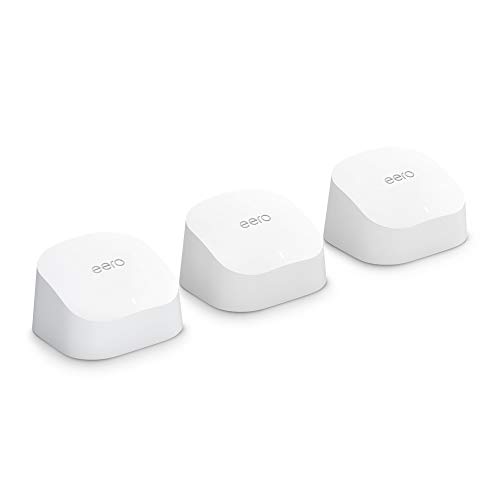
Wi-Fi 6 Smart Home Pick – Amazon eero 6 3-Pack
For shoppers comparing mesh WiFi systems without subscription costs, the Amazon eero 6 focuses on easy whole-home coverage and modern Wi-Fi 6 performance. The 3-pack is designed to cover medium-sized homes, handle lots of devices, and keep setup and management simple through the app.
Best For: Households that want Wi-Fi 6, a large device count, and easy expansion.
Pros:
- Up to 4,500 sq. ft. of coverage with the 3-pack
- Supports internet plans up to 500 Mbps
- Handles 75+ connected devices with Wi-Fi 6
- Doubles as a Zigbee smart home hub for Alexa-compatible devices
Cons:
- Coverage and speed ratings are lower than some larger mesh kits
- No wired backhaul details are listed in the supplied notes
The eero 6 is a good fit if you want a mesh system that is easy to manage and built for a busy smart home. Automatic updates and cross-compatible expansion add flexibility if you plan to grow the system later.
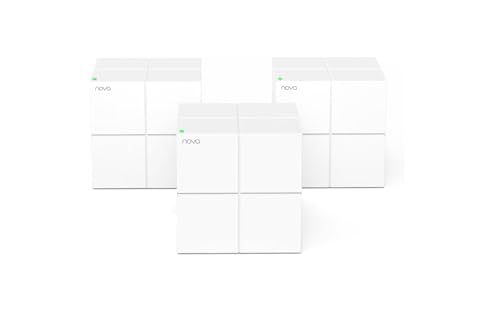
Budget Mesh Value – Tenda Nova MW6 3-Pack
The Tenda Nova MW6 is aimed at buyers looking for mesh WiFi systems without subscription extras and a simple path away from traditional routers and extenders. With three units, it offers whole-home coverage, automatic node handoff, and app-based setup for a straightforward mesh experience.
Best For: Budget-minded homes that want easy mesh coverage for many devices.
Pros:
- Coverage up to 6,000 sq. ft. with the 3-pack
- Supports up to 90 devices with MU-MIMO and beamforming
- Single network name and password for seamless roaming
- App setup and guest network included
Cons:
- Wi-Fi 5 hardware, not Wi-Fi 6
- Modem-compatible status is listed as no
MW6 is the strongest value play in this group if your priority is coverage and device capacity rather than premium features. Its simple setup and guest network make it a practical choice for larger households on a tighter budget.
How We Picked These Mesh WiFi Systems Without Subscription
We prioritized models that can operate fully without a required subscription, along with the factors that matter most in real homes: coverage range, Wi-Fi standard, band design, wired ports, device capacity, and overall value. We also favored systems that are easy to set up and flexible enough for apartments, townhomes, and larger multi-story houses.
Quick Comparison: What Stands Out
For smaller budgets and straightforward coverage, dual-band Wi-Fi 5 and Wi-Fi 6 systems can still make sense. For faster internet plans and busier households, Wi-Fi 6 and Wi-Fi 6E models usually provide better headroom. If you are buying for long-term use, newer Wi-Fi 7 options offer the most future-proofing, but they only pay off if your internet speed and devices can take advantage of them.
Key Buying Factors for Mesh WiFi Systems Without Subscription
Coverage and Home Layout
Match the advertised square footage to your actual layout. Thick walls, multiple floors, and dense construction can reduce real-world range, so choose a system with some extra margin.
Wi-Fi Standard and Speed
Wi-Fi 6 is the best everyday value for most homes, while Wi-Fi 6E adds a 6 GHz band for less congestion. Wi-Fi 7 is the newest option, but it is most useful in high-speed environments and for buyers who want a longer upgrade cycle.
Ports and Wired Backhaul
If you have gaming consoles, smart TVs, desktops, or a NAS, look for multiple Gigabit ports per unit. Wired backhaul can improve stability when nodes are far apart or when wireless interference is heavy.
Device Capacity and App Experience
Homes with many phones, tablets, cameras, and smart devices should favor systems rated for higher device counts. Also check whether the app provides the core controls you need without pushing paid features.
Who Should Buy Which Mesh WiFi Systems Without Subscription?
Choose a budget-friendly Wi-Fi 5 or entry-level Wi-Fi 6 system if you mainly need better coverage and simple setup. Pick a Wi-Fi 6 or 6E model if you stream in 4K, work from home, or have a lot of connected devices. Go with Wi-Fi 7 only if you want top-tier performance and plan to keep the system for years.
In short, the best Mesh WiFi Systems Without Subscription are the ones that fit your home size, internet speed, and device load without forcing ongoing fees. Focus on practical coverage first, then choose the newest standard that matches your budget.
