

Choosing the right hub can make or break a smart home. The best smart home hubs for advanced automation combine fast local control, broad device support, and reliable scene management.
In this roundup, we focus on hubs that help you unify switches, sensors, lighting, locks, and routines without adding unnecessary complexity.
Best 10 Smart Home Hubs for Advanced Automation Picks for 2026
Official Home Assistant Starter Hub

- Preinstalled Home Assistant OS
- Fanless 4GB RAM, 32GB storage
- USB expandability for Z-Wave, Zigbee, Thread
Best For: Home Assistant users who want the simplest official hardware start
AI Camera-Centric Automation Hub
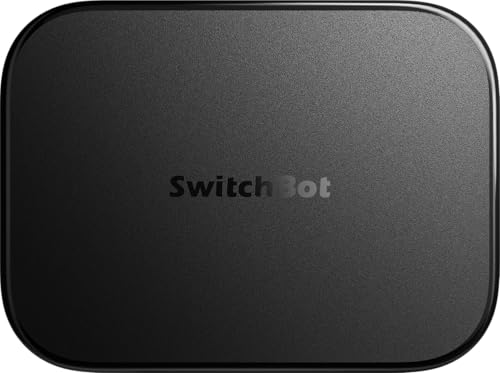
- Home Assistant pre-installed
- Local NVR storage with 16GB MicroSD
- Matter bridge and faster BLE automations
Best For: SwitchBot homes that prioritize camera context and local recording
Privacy-First Multi-Protocol Hub

- Zigbee, Matter, Thread, Ethernet built in
- Homey Flow for advanced routines
- Works with 1000+ brands without subscription
Best For: People who want broad compatibility with local, flexible automation
Preinstalled HAOS Automation Box

- HAOS preinstalled out of the box
- Dedicated Home Assistant smart hub
- 1-year warranty listed
Best For: Buyers who want a simple Home Assistant box with minimal setup
Multi-Protocol Automation Hub

- Matter Controller and Thread Border Router
- Local Zigbee and Matter automations
- Includes IR, PoE, Wi-Fi, and app ecosystem support
Best For: Advanced users wanting one hub for mixed protocols and local control
Local Control Automation Hub

- Local automations keep routines running without internet
- Supports Matter, Z-Wave 800 LR, Zigbee, Bluetooth, and Wi-Fi
- Rule Machine and AI tools support complex customization
Best For: Privacy-minded users who want powerful local automation
High-Capacity Lighting Hub
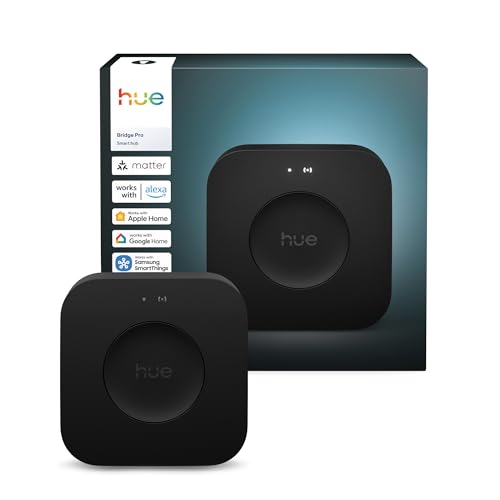
- Supports 150+ lights and 50+ accessories
- 1.7 GHz processor with more memory for scenes and automations
- MotionAware enables motion-triggered lighting without extra sensors
Best For: Hue owners building a large, automation-heavy lighting setup
Premium Local-First Automator
Homey Pro (2026) Multi-Protocol Hub

- Seven protocols in one local-first hub
- Works with 50,000+ devices across 1,000+ brands
- Homey Flow and Advanced Flows for custom routines
Best For: Power users who want broad compatibility and deep automation control
Privacy-Focused Matter Bridge

- Local-first Edge Hub with Matter bridge support
- 360° IR blaster adds AC and remote control integration
- Dual-band Wi-Fi, PoE, and USB-C for flexible setup
Best For: Aqara-focused users who want local automations and Matter bridging
SmartThings-Compatible Gateway

- SmartThings hub with Matter, Z-Wave, Zigbee, and Wi-Fi
- Many automations run locally for better speed
- Ethernet or Wi-Fi setup through the SmartThings app
Best For: SmartThings users who want broad protocol support and easy setup
Official Home Assistant Starter Hub – Home Assistant Green
Home Assistant Green | Smart Home hub with Advanced Automation | Official Home Assistant Hardware
Check Price On AmazonIf you want smart home hubs for advanced automation without a complicated setup, Home Assistant Green is the easiest entry point into the Home Assistant ecosystem. It arrives with Home Assistant OS already installed, so you can plug in power and Ethernet and start building local automations right away.
Best For: Buyers who want official Home Assistant hardware with simple setup and room to expand later.
Pros:
- Preinstalled Home Assistant OS makes first-time setup straightforward.
- Official Nabu Casa hardware designed specifically for Home Assistant.
- Fanless, silent, and power efficient for always-on use.
- USB expandability supports Z-Wave, Zigbee, and Thread accessories.
Cons:
- Requires Ethernet, so it is not a wireless-first hub.
- More advanced radio support depends on separate USB devices.
For people focused on advanced automation, this is a practical hub that keeps control local and gives you a clean path to expand connectivity as your setup grows.
AI Camera-Centric Automation Hub – SwitchBot AI Hub
SwitchBot AI Hub is aimed at smart home hubs for advanced automation when camera context and faster local device control matter most. It combines Home Assistant pre-installation, a Matter bridge, dual-band Wi-Fi, and built-in local NVR storage so you can centralize compatible devices and camera recordings.
Best For: SwitchBot users who want AI-assisted camera features, local event storage, and quicker edge automations.
Pros:
- Home Assistant pre-installed for smarter hub-based control.
- Includes local camera event storage with a 16GB MicroSD card.
- Supports expansion up to 1TB MicroSD or a 16TB external drive.
- Works as an edge hub for select SwitchBot BLE devices with faster automations.
Cons:
- AI features require an AI+ subscription.
- Does not include IR control for TVs or air conditioners.
If your automation setup includes cameras and SwitchBot devices, this hub offers a strong mix of local storage, context-aware features, and broader smart home bridging.
Privacy-First Multi-Protocol Hub – Homey Pro mini
Homey Pro mini is a strong fit for smart home hubs for advanced automation if you want broad device compatibility and local control. It supports Zigbee, Matter, Thread, and Ethernet out of the box, and its Homey Flow system is built for creating custom routines and more advanced workflows.
Best For: Users who want a compact hub with local processing, wide brand support, and flexible automation tools.
Pros:
- Local data processing helps with privacy and reliability.
- Homey Flow supports custom routines and advanced workflows.
- Works with 1000+ brands and a large app library.
- No subscription required for core features or remote access.
Cons:
- Z-Wave, Bluetooth, and infrared need the separate Homey Bridge.
- It is only the mini hub itself, so expansion may add extra cost.
For a compact controller that still reaches far across brands and protocols, Homey Pro mini offers a balanced mix of automation depth and everyday simplicity.
Preinstalled HAOS Automation Box – RK3528 Home Assistant Box
RK3528 Board Home Assistant Box, Preinstall HAOS, Smart Home Hub with Advanced Automation
Check Price On AmazonThis RK3528 Home Assistant Box is a straightforward option among smart home hubs for advanced automation because it comes with HAOS preinstalled. That makes it a ready-to-use Home Assistant-style hub for buyers who want a dedicated box rather than building their own system from scratch.
Best For: Users looking for a simple Home Assistant box with preinstalled HAOS.
Pros:
- Preinstalled HAOS reduces initial setup work.
- Dedicated Home Assistant box for smart home automation.
- Compact single-unit hardware with a 1-year warranty.
Cons:
- Supplied details are minimal compared with other hubs.
- No listed information about storage, RAM, or connectivity.
As a basic Home Assistant box, this model is best approached as a simple plug-in platform for automation rather than a feature-heavy hub with extensive published specs.
Multi-Protocol Automation Hub – Aqara Smart Hub M200
For smart home hubs for advanced automation, the Aqara Smart Hub M200 is built around broad protocol support and local execution. It works as a Matter Controller, Thread Border Router, and Matter Bridge, while also bringing Aqara Zigbee, Bluetooth, Wi-Fi, PoE, and IR into one hub. That makes it a practical pick if you want to connect mixed devices and keep automations responsive.
Best For: Users who want a multi-protocol hub with local automations, IR control, and strong ecosystem compatibility.
Pros:
- Supports Matter, Thread, Zigbee, Bluetooth, Wi-Fi, PoE, and IR in one hub
- Local automation for Zigbee and Matter devices with millisecond response times
- Works with Home Assistant, Apple HomeKit, Alexa, and Google Home
- Can support up to 40 Aqara Zigbee devices and 40 Thread devices
Cons:
- Some functions depend on the specific Matter integration app
- Only one AC device can be exposed to Matter through the IR feature
- 2A USB power adapter is not included
The M200 stands out if you want a hub that does more than basic device bridging. Its local automation support and wired or wireless setup options make it a strong foundation for advanced routines, especially when you want Aqara features to play nicely across several smart home ecosystems.
Local Control Automation Hub – Hubitat Elevation C-8 Pro
If you’re comparing smart home hubs for advanced automation, the Hubitat Elevation C-8 Pro is aimed squarely at people who want processing to stay inside the home. Its local control approach keeps lights, locks, thermostats, and routines working even when the internet drops, while support for Matter 1.5, Z-Wave 800 LR, Zigbee 3.0, Bluetooth, and Wi-Fi gives it a wide compatibility base.
Best For: Smart home users who want privacy-focused local automations with deep customization and no subscription.
Pros:
- Automations run locally for speed, reliability, and privacy
- Supports Matter 1.5, Z-Wave 800 LR, Zigbee 3.0, Bluetooth, and Wi-Fi
- AI-powered automation suggestions plus Rule Machine customization
- No mandatory monthly fee for core platform features
Cons:
- Best suited to users comfortable with a more advanced platform
- Automation depth may be more than casual users need
The C-8 Pro is a strong fit if your priority is reliable local automation rather than cloud-driven convenience. Its broad protocol support and customization tools make it a compelling long-term hub for mixed-device setups and more complex smart home logic.
High-Capacity Lighting Hub – Philips Hue Bridge Pro
For smart home hubs for advanced automation centered on lighting, the Philips Hue Bridge Pro focuses on speed, capacity, and stronger security. It supports 150+ lights and 50+ accessories, adds more memory for up to 500 personalized scenes and automations, and includes Hue MotionAware for motion-based lighting without separate motion sensors.
Best For: Philips Hue users who want a faster, larger-capacity lighting hub with advanced automation features.
Pros:
- Fast processing with a 1.7 GHz Hue Chip Pro and quad-core CPU
- Supports 150+ lights and 50+ accessories
- Stores up to 500 personalized scenes and more automations
- Hue MotionAware can trigger lights using three Hue devices
Cons:
- Primarily focused on the Hue lighting ecosystem
- Advanced features are most valuable if you already use Hue devices
The Bridge Pro is less of a general-purpose hub and more of a high-performance lighting controller. If your setup is built around Philips Hue, it offers the speed, scene capacity, and motion automation tools to support a large and polished lighting system.
Premium Local-First Automator – Homey Pro (2026) Multi-Protocol Hub
If you want smart home hubs for advanced automation, Homey Pro (2026) stands out as a true all-in-one controller. It combines seven protocols in one local-first hub, supports a very large device ecosystem, and lets you build simple or advanced flows for more coordinated automations across the home.
Best For: Power users who want broad device compatibility, local control, and flexible automation building in one hub.
Pros:
- Supports Wi-Fi, Zigbee, Z-Wave Plus, BLE, Infrared, Matter, and Thread in one hub
- Works with over 50,000 devices from more than 1,000 brands
- Local-first processing keeps control and data on the hub itself
- Homey Flow and Advanced Flows support both simple and complex automation routines
Cons:
- Advanced automation options may be more than casual users need
- Compatibility is broad, but some features depend on official or community Homey Apps
Overall, Homey Pro (2026) is the most feature-packed option here for users building a serious automation setup. Its strength is not just protocol count, but the way it ties multiple brands and device types into a single local control system.
Privacy-Focused Matter Bridge – Aqara Hub M3
For smart home hubs for advanced automation, the Aqara Hub M3 is a strong pick if your setup leans on local control and Matter bridging. It supports Aqara Zigbee and Thread devices, integrates with third-party devices through the Aqara Home app, and is designed to keep automations on the edge whenever possible.
Best For: Aqara users and Matter-focused builders who want local automations, IR control, and stable wired or wireless connectivity.
Pros:
- Supports Aqara Zigbee and Thread, plus Matter bridge functionality
- Edge Hub design prioritizes local control and local automation
- Includes a 360° IR blaster with feedback and learning
- Offers dual-band Wi-Fi, PoE, and USB-C for flexible power options
Cons:
- Supports up to 127 Aqara Zigbee devices, not third-party Zigbee devices
- Some cloud-based notifications still require internet access
The M3 is especially appealing if you want a privacy-conscious hub that can also help bridge Aqara scenes into Matter ecosystems. Its mix of local automation, IR, and wired stability makes it a smart backbone for a more advanced but Aqara-centered setup.
SmartThings-Compatible Gateway – Aeotec Smart Home Hub V3
The Aeotec Smart Home Hub is a practical choice for smart home hubs for advanced automation if you want SmartThings compatibility with wide protocol support. It connects with thousands of devices and gives you a straightforward way to build routines in the SmartThings app, with many automations now running locally for better responsiveness.
Best For: SmartThings users who want a hub with Matter, Z-Wave, Zigbee, and Wi-Fi support in one device.
Pros:
- Works as a SmartThings hub with Matter, Z-Wave, Zigbee, and Wi-Fi support
- Automations can run locally for improved speed and reliability
- Set up and manage devices through the SmartThings app on mobile devices
- Supports wired Ethernet or Wi-Fi for flexible installation
Cons:
- Z-Wave Plus support is limited to the V3 model only
- Designed for North America, so regional fit matters
This hub makes sense when your automation plan is built around SmartThings and you want a simple, well-supported gateway. It is less specialized than some premium options, but it covers the core protocols needed for a capable connected home.
How We Picked the Best Smart Home Hubs for Advanced Automation
We prioritized Smart Home Hubs for Advanced Automation that offer strong ecosystem support, dependable local processing, and modern standards like Matter, Thread, Zigbee, and Z-Wave where relevant. We also favored hubs with clear automation tools, solid hardware connectivity, and good compatibility with major voice assistants and third-party devices.
Quick Comparison
If you want maximum flexibility, choose a hub with broad protocol support and local automation. If you mainly control lighting, a dedicated bridge may be enough. If you want an easier setup with broad app support, a Matter-capable hub can be the simplest path.
Key Buying Factors for Smart Home Hubs for Advanced Automation
Protocol Support
Match the hub to the devices you already own. Zigbee and Z-Wave remain essential for many sensors, switches, and locks, while Thread and Matter improve interoperability and future compatibility.
Local Vs Cloud Control
For faster response times and better reliability, local control matters. Hubs that keep automations running even when the internet is down are especially valuable for security, lighting, and HVAC routines.
Automation Depth
Look for hubs that support conditional logic, device grouping, triggers, and scenes. Advanced users should also check whether the platform allows custom dashboards, scripting, or integrations with home servers and cameras.
Connectivity and Placement
Ethernet and PoE can improve stability, especially for central controllers. Built-in Bluetooth, IR, and Wi-Fi add flexibility for pairing and expanding the system.
Who Should Buy Which Smart Home Hubs for Advanced Automation?
If you want the most customization, pick a platform built for advanced users and local automation. If you prefer broad device compatibility and a polished app experience, choose a hub with strong Matter and multi-protocol support. If your main focus is smart lighting, a dedicated lighting bridge may be the most cost-effective option. For mixed-brand households, the best choice is usually one of the Smart Home Hubs for Advanced Automation that supports both legacy radios and newer standards, so you can expand without replacing your core controller later.
