

Smart home hubs with local processing can keep automations fast, responsive, and more reliable when your internet is slow or unavailable. They’re also a smart choice if you want more privacy and less dependence on the cloud.
Below, we focus on hubs that help centralize devices, support key standards like Matter, Zigbee, Thread, or Z-Wave, and offer the kind of local control that matters for real-world home automation.
Best 10 Smart Home Hubs with Local Processing Picks for 2026
Local-Control Automation Hub

- Local automations keep working without internet access.
- Supports Matter, Zigbee, Z-Wave, Bluetooth, and Wi-Fi.
- No subscription required for core platform features.
Best For: Advanced users who want local control and customization
Local Video Storage Hub

- Stores footage locally with expandable storage up to 16 TB.
- Supports up to 50 eufy devices across cameras, doorbells, and sensors.
- AI facial recognition helps reduce false alerts.
Best For: eufy owners who want local storage and security automation
Multi-Protocol Local Hub

- Works as a Matter Controller, Thread Border Router, and Bridge.
- Supports local Zigbee and Matter automations.
- Includes PoE, Wi-Fi, Bluetooth, and IR connectivity.
Best For: Aqara users who need a flexible bridge across ecosystems
Local Security Central Hub

- Keeps footage stored locally with built-in and expandable storage.
- Supports up to 16 Tapo cameras and 64 sensors.
- Adds HDMI viewing, alarm, mic, and speaker features.
Best For: Tapo security setups that want local storage and centralized monitoring
Local-First Starter Hub
Home Assistant Green Official Hardware

- Home Assistant OS pre-installed for quick setup
- Keeps home data stored locally on the hub
- Fanless, low-power design with USB expandability
Best For: New Home Assistant users who want a simple local-processing hub
Lighting-Focused Bridge

- Supports up to 75 Caseta devices
- Clear Connect avoids Wi-Fi interference
- Works with Alexa, HomeKit, Google, Ring, and Sonos
Best For: Homes centered on Lutron lights, fans, and shades
AI Camera Hub
SwitchBot AI Hub with Local NVR
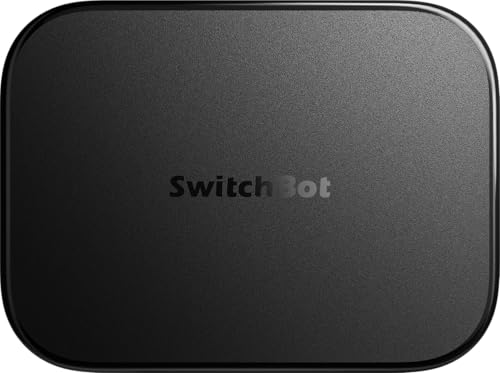
- Stores camera events locally with included microSD
- Home Assistant pre-installed with Matter bridge support
- Faster local automations for select SwitchBot BLE devices
Best For: SwitchBot users who want local camera storage and automation
Local-First Automation Hub
Homey Pro mini Smart Home Hub for Home Automation

- Local processing for privacy and reliability
- Supports Zigbee, Matter, Thread, and Ethernet
- No subscription required
Best For: People who want broad compatibility and local automation without monthly fees
SmartThings-Compatible All-Rounder
Aeotec Smart Home Hub for Connected Homes

- Works with SmartThings, Matter, Z-Wave, and Zigbee
- Many automations now run locally
- Wi-Fi and Ethernet setup options
Best For: SmartThings households that want broad compatibility and faster local automations
Edge Automation Powerhouse

- Edge Hub with local automations
- Supports Zigbee, Thread, Wi-Fi, PoE, and IR
- 8GB encrypted local storage
Best For: Advanced users who want local automation, Matter bridging, and flexible connectivity
Local-Control Automation Hub – Hubitat Elevation C-8 Pro
If you want one of the most capable smart home hubs with local processing, the Hubitat Elevation C-8 Pro is built around running automations inside your home instead of relying on remote servers. That means routines for lights, locks, thermostats, and other connected devices can keep working even if the internet drops, while updates and broad protocol support help it stay flexible over time.
Best For: Smart home users who want fast local automations, strong privacy, and deep customization without subscription fees.
Pros:
- Runs automations locally for better speed, reliability, and privacy.
- Supports Matter 1.5, Z-Wave 800 LR, Zigbee 3.0, Bluetooth, and Wi-Fi.
- No mandatory monthly fee for core automations and platform features.
- AI-assisted automation plus Rule Machine customization for complex routines.
Cons:
- Most appealing to users who want to build and manage a more advanced setup.
- Some buyers may prefer a simpler, more guided smart home platform.
For shoppers comparing smart home hubs with local processing, this model stands out for keeping essential automations on-device while still supporting a wide mix of standards. It is a strong long-term pick if you value control, compatibility, and recurring-cost-free operation.
Local Video Storage Hub – eufy HomeBase 3
The eufy Security HomeBase 3 is a practical choice if your priority is security-focused smart home hubs with local processing and expandable storage. It stores footage on-device, supports a large eufy ecosystem, and adds AI features like facial recognition to cut down on false alerts without adding monthly fees.
Best For: Homeowners building a local-first eufy security system with lots of camera and sensor capacity.
Pros:
- 16 GB built in, with expansion up to 16 TB for local video storage.
- Supports up to 50 devices, including eufy cameras, doorbells, and sensors.
- BionicMind AI helps filter alerts with facial recognition.
- No monthly fee and strong privacy protections with encrypted storage.
Cons:
- Designed around the eufy ecosystem rather than broad third-party device support.
- Hard drive expansion requires a separate portable drive.
As a local hub for home security, HomeBase 3 makes sense when you want recordings and key intelligence stored at home instead of in the cloud. It is especially compelling for users who want a single base for cameras, doorbells, and sensors with low ongoing cost.
Multi-Protocol Local Hub – Aqara Smart Hub M200
The Aqara Smart Hub M200 is a versatile option for buyers looking at smart home hubs with local processing across mixed ecosystems. It works as a Matter Controller, Thread Border Router, and Matter Bridge, while also supporting local execution for Zigbee and Matter automations so everyday routines can stay responsive even without Wi-Fi or cloud access.
Best For: Users who want a flexible Aqara hub that can bridge devices into multiple major smart home ecosystems.
Pros:
- Acts as a Matter Controller, Thread Border Router, and Matter Bridge.
- Supports local automations for Zigbee and Matter devices.
- Includes Wi-Fi, PoE, Bluetooth, and IR for flexible setup options.
- Can support Aqara Zigbee and Thread devices, plus built-in speaker functions.
Cons:
- Some features still depend on cloud connectivity, such as certain notifications.
- IR and Matter exposure details vary by app and setup.
This hub is a strong fit if you want local responsiveness but also need bridging power across Apple HomeKit, Alexa, Google Home, Home Assistant, and SmartThings. It is especially useful in homes that mix newer Matter devices with older IR or Zigbee gear.
Local Security Central Hub – Tapo CentralHub H500
The Tapo CentralHub H500 is aimed at buyers who want smart home hubs with local processing centered on cameras and sensors. It keeps footage on the device instead of the cloud, improves AI recognition, and adds built-in storage and viewing tools for a more self-contained security setup.
Best For: Tapo users who want local camera storage, fewer subscriptions, and a centralized security dashboard.
Pros:
- Connects up to 16 Tapo cameras and 64 Sub-G sensors.
- 16 GB built in, with expandable 2.5-inch SATA storage.
- Offline mode keeps footage stored locally and accessible during network outages.
- Built-in speaker, mic, HDMI output, and 110 dB alarm for monitoring and alerts.
Cons:
- Camera continuous recording is limited to up to 4 cameras.
- Best suited to Tapo devices rather than a broad mixed-brand ecosystem.
If your main goal is local security management, this hub offers a focused alternative to cloud-heavy systems. It combines on-device storage, alert handling, and live viewing in one box, making it a practical match for a Tapo-based home.
Local-First Starter Hub – Home Assistant Green Official Hardware
Home Assistant Green | Smart Home hub with Advanced Automation | Official Home Assistant Hardware
Check Price On AmazonFor smart home hubs with local processing, Home Assistant Green is a straightforward way to get started without giving up control of your data. Home Assistant OS comes pre-installed, so setup is as simple as plugging in power and Ethernet, then building automations that run on your own hub.
Best For: Buyers who want an easy, fanless Home Assistant hub that keeps home data local and supports deeper automation over time.
Pros:
- Home Assistant is already installed, making startup quick and simple
- Local control keeps your home’s data on the Green
- Fanless, silent design uses only a couple of watts
- Expandable with Z-Wave, Zigbee, and Thread USB devices
Cons:
- Ethernet-only setup may not suit everyone
- More connectivity requires separate USB accessories
In practice, this is the best fit if you want a compact, official Home Assistant box that emphasizes local processing and room to grow. It is less about built-in radios and more about giving you a reliable base for custom automations.
Lighting-Focused Bridge – Lutron Caseta Smart Hub
If you are comparing smart home hubs with local processing for lighting, the Lutron Caseta Smart Hub stands out for dependable control of lights and fans. It connects by Ethernet to your router and works with Lutron’s Clear Connect technology, while also integrating with major ecosystems like Alexa, HomeKit, Google Assistant, Ring, Serena shades, and Sonos.
Best For: Households that want a simple, reliable hub for Lutron lighting and shade control with broad voice-assistant compatibility.
Pros:
- Supports up to 75 Caseta devices
- Clear Connect technology avoids interference with Wi-Fi devices
- Compatible with Alexa, Apple HomeKit, Google Assistant, Ring, Serena shades, and Sonos
- Easy plug-in setup with app-guided installation
Cons:
- Best value is mainly for Caseta devices and accessories
- Coordinating accessories are sold separately
This hub is a strong pick when your priority is rock-solid lighting control rather than a broad all-in-one home automation platform. It is especially useful if you want a dedicated bridge that keeps Lutron devices responsive and easy to manage.
AI Camera Hub – SwitchBot AI Hub with Local NVR
Among smart home hubs with local processing, the SwitchBot AI Hub is built for people who want camera-aware automation and local storage in one device. It supports OpenClaw, includes Home Assistant pre-installed, acts as a Matter bridge, and can store event recordings locally with the included microSD card or expandable external storage.
Best For: Users who want a camera-centric hub with local NVR storage, faster BLE automations, and Home Assistant integration.
Pros:
- Local event recording with included 16GB microSD card
- Expandable storage up to 1TB microSD or 16TB external hard drive
- Home Assistant pre-installed plus Matter bridge support
- Designed for faster local automations with select SwitchBot BLE devices
Cons:
- AI features require an AI+ subscription
- Camera-aware features depend on compatible cameras and devices
- No IR control for TVs or air conditioners
This is the most specialized option of the three, especially if you want local camera storage and smart home control from the same hub. It makes the most sense for SwitchBot users who care about edge automations and flexible storage more than general-purpose hub features.
Local-First Automation Hub – Homey Pro mini Smart Home Hub for Home Automation
If you want smart home hubs with local processing that keep automations running even when the internet drops, the Homey Pro mini is built around that idea. It centralizes control for a wide range of devices, supports multiple protocols out of the box, and lets you build practical routines with Homey Flow without paying a subscription.
Best For: Buyers who want local control, privacy-focused automation, and broad brand compatibility in one compact hub.
Pros:
- Local data processing helps improve privacy and reliability, including when the internet is down.
- Supports Zigbee, Matter, Thread, and Ethernet out of the box.
- Works with 1000+ brands through Homey Apps, including official and community options.
- No monthly fee required for access to features, cloud services, or voice assistant integrations.
Cons:
- Z-Wave, Bluetooth, and Infrared require the separately sold Homey Bridge.
- Product details note that it is not marked as Smart Home Compatible in the listing metadata.
Overall, the Homey Pro mini stands out if you want a hub that emphasizes local execution, flexible automation, and privacy without ongoing subscription costs. It is especially appealing for users who want one controller for many ecosystems rather than a single-brand setup.
SmartThings-Compatible All-Rounder – Aeotec Smart Home Hub for Connected Homes
Among smart home hubs with local processing, the Aeotec Smart Home Hub is a straightforward choice for users building around SmartThings. It supports a wide mix of devices and protocols, and the listing notes that many automations now run locally for better speed and reliability. Setup is designed to be simple through the SmartThings app.
Best For: SmartThings users who want a versatile hub with local automation support and broad device compatibility.
Pros:
- Works as a SmartThings hub with support for Matter, Z-Wave, Zigbee, Wi-Fi, Alexa, and Google Home.
- Many automations now run locally for improved speed and reliability.
- Supports both Wi-Fi and Ethernet for flexible placement and setup.
- Compatible with thousands of devices for lighting, comfort, energy use, and more.
Cons:
- Designed for North America, which limits its fit for some buyers.
- Local processing is described for many automations, not necessarily every action.
For households already using SmartThings, the Aeotec hub is a practical bridge between older device ecosystems and newer Matter gear. It offers the convenience of app-based setup while still moving important automations onto the local network.
Edge Automation Powerhouse – Aqara Smart Home Hub M3
If your priority is smart home hubs with local processing and advanced automation, the Aqara Smart Home Hub M3 is the most feature-packed option here. It acts as an Edge Hub with local automations, supports Matter bridging, and adds Thread, Zigbee, Bluetooth, Wi-Fi, PoE, and IR into one privacy-focused controller.
Best For: Users who want advanced local automation, Matter bridging, and flexible wired or wireless connectivity.
Pros:
- Edge Hub design prioritizes local control and automation.
- Supports Zigbee, Thread, Bluetooth, Wi-Fi, PoE, and IR in one device.
- Includes 8GB of encrypted local storage for device and automation data.
- IR blaster can control traditional remotes and connect AC units to Matter in supported setups.
Cons:
- Only supports up to 127 Aqara Zigbee devices, not third-party Zigbee devices.
- Some cloud-based notifications still require internet access.
- AC exposure to Matter is limited to one device, depending on integration app support.
The M3 is the strongest pick for buyers who want a hub designed around local execution, encrypted storage, and deep ecosystem flexibility. Its wired options and smart IR features make it especially useful for more complex homes.
How We Picked the Best Smart Home Hubs with Local Processing
We focused on hubs that can run core automations on-device, support widely used smart home standards, and offer practical integration options for mixed-device homes. We also prioritized hubs with strong app support, reliable ecosystem compatibility, and storage or processing features that help keep critical functions running locally.
Quick Comparison
The best option depends on your ecosystem and device mix. Some hubs are built around broad automation and cross-platform support, while others are better for lighting, security cameras, or sensors. If you already use a specific brand, choosing the matching hub often delivers the smoothest setup and the most dependable local control.
Key Buying Factors for Smart Home Hubs with Local Processing
Supported Protocols
Check for Matter, Thread, Zigbee, Z-Wave, Wi-Fi, Bluetooth, or IR based on the devices you already own. The more compatible the hub is, the less likely you are to need multiple bridges.
Local Automation Capability
Not all hubs process the same tasks locally. Look for hubs that can trigger routines, device logic, camera recording, or sensor responses without relying on cloud services.
Storage and Expandability
For camera-heavy or security-focused setups, local storage matters. Built-in memory or expandable storage can improve reliability and reduce subscription costs.
Ecosystem Compatibility
Make sure the hub works with the voice assistants and platforms you already use, whether that’s Alexa, Google Assistant, Apple Home, SmartThings, or Home Assistant.
Automation Complexity
If you want advanced routines, custom dashboards, or deeper control, choose a hub that supports more flexible automation tools instead of only simple app-based scenes.
Who Should Buy Which Smart Home Hubs with Local Processing?
Choose a broad-platform hub if you want one central controller for mixed brands and future expansion. Pick a brand-specific hub if you mainly use that ecosystem and want the simplest path to reliable local control. For advanced users, home assistant–style hardware is often the best fit because it offers deeper customization and more powerful local automations.
For security, camera, or sensor-heavy homes, prioritize hubs with local storage and strong device handling. For lighting-focused setups, a streamlined hub with excellent compatibility may be the better value. The best Smart Home Hubs with Local Processing are the ones that match your devices, your comfort level, and how much control you want to keep inside the home.
