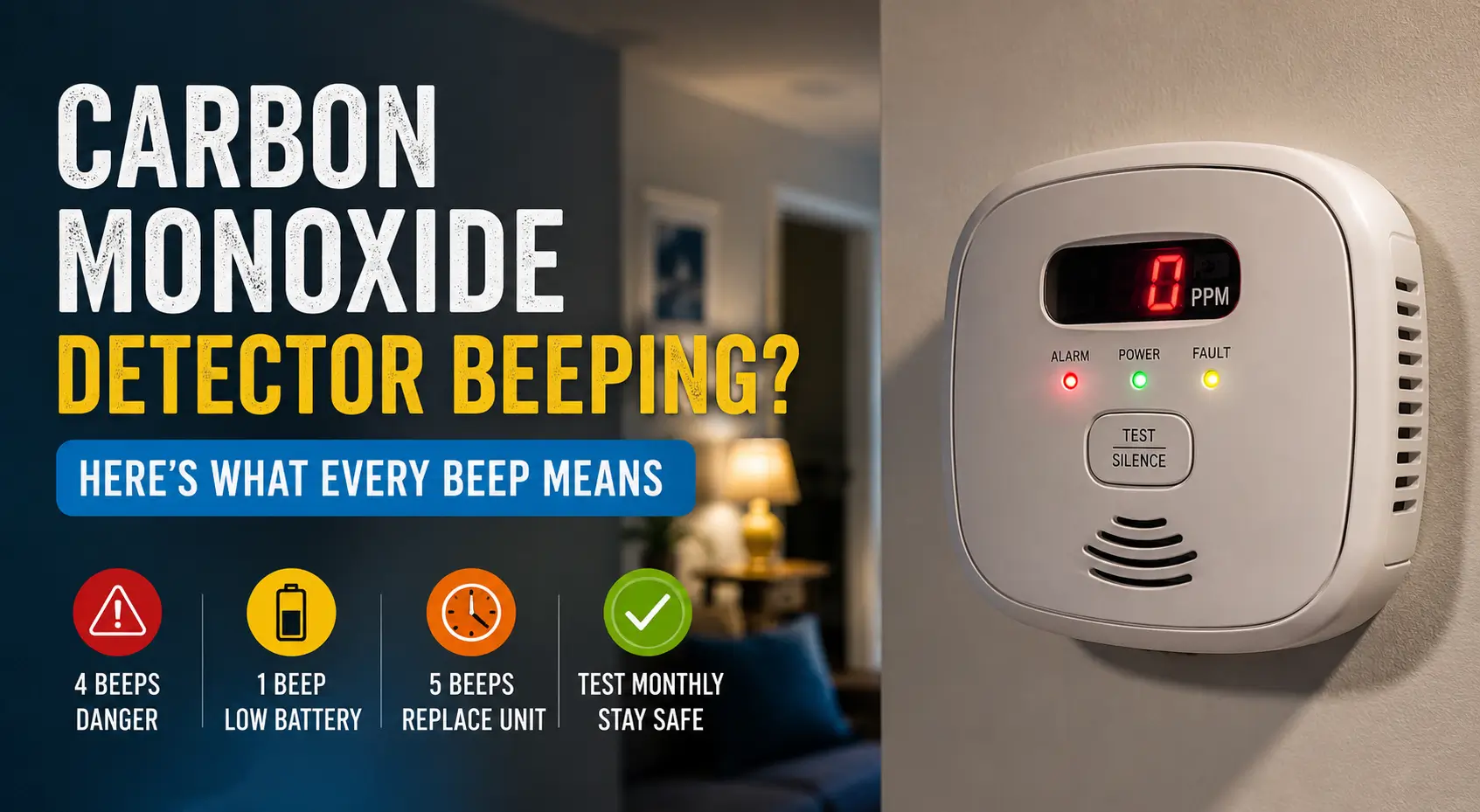
A carbon monoxide detector beeping can signal anything from a low battery to dangerous carbon monoxide (CO) levels in your home.
The exact meaning depends on the beep pattern, detector brand, and warning light. Understanding these sounds quickly can help protect your family and prevent false alarms.
Quick Answer
If your carbon monoxide detector is beeping:
- 4 quick beeps + pause = Carbon monoxide detected
- 1 beep every 30–60 seconds = Low battery
- 5 beeps every minute = Detector expired
- Continuous beeping = Serious emergency or malfunction
If you suspect carbon monoxide exposure, leave the house immediately and call emergency services.
Table of Contents
Carbon Monoxide Detector Beeping Meanings at a Glance
| Beep Pattern | Meaning | What You Should Do |
|---|---|---|
| 4 beeps + pause | Carbon monoxide detected | Evacuate immediately |
| 1 chirp every 30–60 seconds | Low battery | Replace battery |
| 5 chirps every minute | Detector end of life | Replace detector |
| Continuous alarm | Dangerous CO levels or fault | Leave home and investigate |
| Random chirping | Dust, humidity, or wiring issue | Clean and reset detector |
What Is a Carbon Monoxide Detector?
A carbon monoxide detector is a safety device that detects carbon monoxide gas in the air. Carbon monoxide is colorless, odorless, and dangerous because you cannot see or smell it.
Common sources include:
- Gas furnaces
- Water heaters
- Fireplaces
- Portable generators
- Gas stoves
- Running vehicles in garages
Even small leaks can cause headaches, dizziness, nausea, or worse.
Why Is Your Carbon Monoxide Detector Beeping?
Low Battery Warning
Most detectors chirp once every 30 to 60 seconds when the battery is low.
How to Fix It
- Remove the detector from its mount
- Open the battery compartment
- Replace with fresh batteries
- Hold the test button for 10–15 seconds
- Reinstall the detector
Tip: Use high-quality alkaline batteries unless the manufacturer recommends rechargeable ones.
Carbon Monoxide Detected
Four loud beeps followed by a pause usually means dangerous carbon monoxide levels are present.
What to Do Immediately
- Move everyone outside
- Open doors and windows if safe
- Call emergency services
- Do not re-enter until professionals say it is safe
Warning: Never ignore a CO alarm, even if symptoms seem mild.
Detector Expired or End of Life
Most carbon monoxide detectors last between 5 and 10 years. When they expire, many models beep five times every minute.
How to Check Detector Age
Look for:
- Manufacture date on the back
- “Replace by” label
- User manual instructions
If expired, replace the unit immediately.
Power Problems or Loose Wiring
Hardwired detectors may beep because of:
- Power interruptions
- Loose electrical connections
- Backup battery issues
Quick Troubleshooting Steps
- Check your circuit breaker
- Confirm the power connector is secure
- Replace backup batteries
- Reset the detector
Dust, Dirt, or Humidity Issues
Dust buildup inside the sensor chamber can trigger false alarms.
Bathrooms, kitchens, and laundry rooms can also create humidity-related problems.
How to Clean the Detector
- Turn off power if hardwired
- Remove the detector
- Vacuum vents gently
- Wipe exterior with a dry cloth
- Reinstall and test
Avoid using water or cleaning sprays directly on the device.
How to Reset a Carbon Monoxide Detector
Most detectors can be reset in under a minute.
General Reset Instructions
- Remove the battery
- Unplug power if hardwired
- Hold the test/reset button for 15–20 seconds
- Reconnect power
- Install battery
- Test the alarm
Some smart detectors may also require resetting through a mobile app.
Common Carbon Monoxide Detector Brands and Beep Codes
| Brand | Common Beep Meaning |
|---|---|
| Kidde | 1 chirp = low battery |
| First Alert | 5 chirps = replace detector |
| Nest | Spoken alerts plus yellow warning light |
| Google Nest Protect | App notifications and voice warnings |
Always check your model’s manual because beep patterns can vary slightly.
Troubleshooting Carbon Monoxide Detector Beeping
Detector Keeps Beeping After Battery Replacement
Possible causes:
- Incorrect battery installation
- Protective battery tab still inserted
- Corroded battery terminals
- Detector needs reset
Try resetting the unit completely.
Detector Beeps Randomly at Night
Temperature drops at night can affect weak batteries.
Replace old batteries and check room placement.
Hardwired Detector Still Chirping
The backup battery may still be low even if house power works normally.
Replace both:
- Main battery
- Backup battery
Best Places to Install Carbon Monoxide Detectors
Install detectors:
- Outside every bedroom
- On every floor
- Near attached garages
- Close to fuel-burning appliances
Avoid placing them:
- Directly beside windows
- Near vents
- In humid bathrooms
- Inside kitchens
Signs of Carbon Monoxide Poisoning
Seek medical attention if multiple people in your home experience:
- Headaches
- Dizziness
- Nausea
- Weakness
- Confusion
- Chest pain
Pets may also show symptoms before humans.
When to Replace Your Carbon Monoxide Detector
Replace the detector if:
- It is older than 7–10 years
- It continues beeping after troubleshooting
- The sensor fails testing
- The unit shows an end-of-life warning
Modern smart detectors can send phone alerts and self-test automatically.
Expert Tips to Prevent False Alarms
- Test detectors monthly
- Replace batteries twice yearly
- Vacuum detectors every few months
- Keep generators outside
- Never idle vehicles in attached garages
A small maintenance routine can prevent most chirping problems.
Frequently Asked Questions
Why is my carbon monoxide detector beeping every 30 seconds?
This usually means the battery is low. Replacing the battery and resetting the detector often fixes the issue.
Can a carbon monoxide detector beep without carbon monoxide present?
Yes. Low batteries, dust, humidity, or expired sensors commonly cause false beeping.
Should I unplug a beeping carbon monoxide detector?
Only unplug it temporarily for troubleshooting or replacement. Never disable a detector during normal use.
How long do carbon monoxide detectors last?
Most detectors last between 5 and 10 years. Check the manufacture date on the back of the device.
Why does my detector beep after changing the battery?
The detector may need a full reset. Incorrect battery installation can also cause continued chirping.
Is a chirping detector an emergency?
A single chirp usually is not an emergency. Four loud repeating beeps typically indicate dangerous carbon monoxide levels.
Final Thoughts
A carbon monoxide detector beeping should never be ignored. In many cases, the problem is simple, like a low battery or expired sensor. But sometimes the alarm can warn of a serious carbon monoxide leak.
Learning the difference between chirps, alarms, and warning patterns helps you respond quickly and keep your home safe.
Citations
U.S. Environmental Protection Agency (EPA) Carbon Monoxide Safety Guide: What is carbon monoxide?