

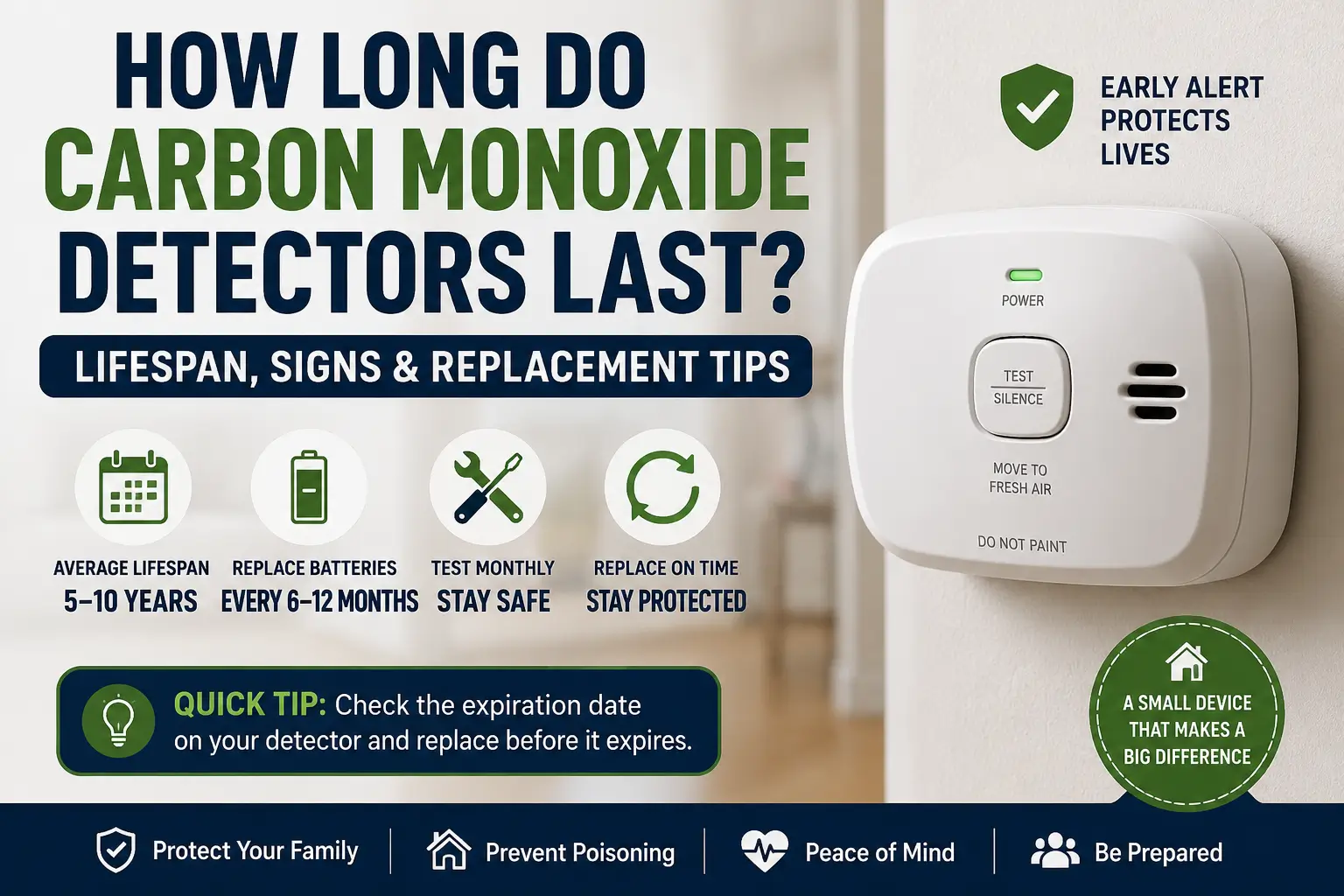
How long do carbon monoxide detectors last is an important question for homeowners who want reliable home safety, better indoor air protection, and early warning against dangerous carbon monoxide gas leaks.
A carbon monoxide detector can save lives, but only if it works properly. Many homeowners install one and forget about it for years. The problem is that carbon monoxide detectors do not last forever.
Over time, the internal sensors become weaker and less accurate. An expired detector may fail to warn you during a real emergency. That is why understanding detector lifespan, replacement signs, maintenance tips, and proper installation matters so much.
According to the Centers for Disease Control and Prevention (CDC), hundreds of people die every year from accidental carbon monoxide poisoning in the United States.
Table of Contents
| Quick Information | Details |
|---|---|
| Average detector lifespan | 5–10 years |
| Battery replacement | Every 6–12 months |
| Best detector type | Electrochemical sensor |
| Monthly testing | Recommended |
| Installation difficulty | Easy |
| Replacement time | 10–15 minutes |
| Smart home compatibility | Available on many models |
How Long Do Carbon Monoxide Detectors Last?
Most carbon monoxide detectors last between 5 and 10 years depending on the sensor type, manufacturer quality, and maintenance.
Battery-powered and plug-in models often last around 5–7 years. Hardwired and premium smart detectors may work for up to 10 years.
Manufacturers usually print the expiration date on the back of the unit or inside the battery compartment.
If your detector is older than the recommended lifespan, replace it immediately even if it still beeps during testing.
Average Lifespan by Detector Type
| Detector Type | Expected Lifespan |
|---|---|
| Battery-powered detector | 5–7 years |
| Plug-in detector | 5–7 years |
| Hardwired detector | 7–10 years |
| Smart CO detector | 7–10 years |
| Combination smoke and CO alarm | 7–10 years |
Why Carbon Monoxide Detectors Expire
Carbon monoxide detectors contain sensors that slowly wear out over time.
Most modern detectors use electrochemical sensors to detect carbon monoxide gas. These sensors react to chemical changes in the air. After years of use, the sensor becomes less sensitive and may stop detecting dangerous gas levels accurately.
Heat, humidity, dust, and power fluctuations can also reduce detector performance.
Common Causes of Detector Failure
- Aging internal sensors
- Dust buildup inside vents
- Moisture damage
- Old batteries
- Electrical problems
- Extreme temperatures
A detector may still produce a test beep while the sensor itself is failing. That is why the expiration date matters more than the test sound alone.
How to Check the Expiration Date on a Carbon Monoxide Detector
Most manufacturers place the expiration information directly on the device.
Check these areas:
- Back panel
- Battery compartment
- Side label
- Manufacturer app for smart alarms
- Product manual
Some models clearly show:
- “Replace By” date
- Manufacturing date
- End-of-life year
Easy Homeowner Tip
Use a permanent marker to write the installation date on the side of the detector. This makes future replacement much easier.
Signs Your Carbon Monoxide Detector Needs Replacement
Many detectors give warning signs before they stop working completely.
Ignoring these warnings can put your family at risk.
1. Frequent Chirping
Short chirping sounds often mean:
- Low battery
- Sensor failure
- End-of-life warning
Replace the battery first. If chirping continues, replace the entire detector.
2. Flashing Yellow or Red Light
Many modern detectors use colored lights to show problems.
A flashing warning light may indicate:
- Sensor malfunction
- Device expiration
- Internal error
Always check the manual for your specific model.
3. Detector Is More Than 7–10 Years Old
Even if the alarm seems normal, an old sensor may no longer detect carbon monoxide properly.
4. Failed Test Button
If the detector does not respond during testing, replace it immediately.
Real-World Example
A homeowner may think a 12-year-old detector still works because the alarm sounds during testing. In reality, the sensor may already be too weak to detect toxic gas levels accurately.
Best Places to Install Carbon Monoxide Detectors
Correct placement improves detection speed and overall home safety.
The National Fire Protection Association (NFPA) recommends installing carbon monoxide alarms outside sleeping areas and on every level of the home.
Recommended Locations
- Hallways near bedrooms
- Living rooms
- Basements
- Near attached garages
- Every floor of the home
Avoid These Locations
Do not install detectors:
- Beside windows
- Near air vents
- Directly above stoves
- In humid bathrooms
- Near heating vents
How Often Should You Replace Carbon Monoxide Detector Batteries?
Most standard batteries should be replaced every 6–12 months.
Many newer smart detectors include sealed 10-year batteries that last for the full detector lifespan.
Battery Safety Tips
- Replace batteries twice yearly
- Test alarms monthly
- Use manufacturer-approved batteries
- Never remove batteries permanently
- Replace weak batteries immediately
A simple way to remember battery replacement is to change them during daylight saving time changes.
Smart Carbon Monoxide Detectors vs Traditional Detectors
Smart detectors provide advanced features that improve convenience and monitoring.
Smart Detector Benefits
| Feature | Smart Detector | Traditional Detector |
|---|---|---|
| Mobile alerts | Yes | No |
| Self-testing | Yes | Limited |
| Voice alerts | Often | Rare |
| App monitoring | Yes | No |
| Smart home integration | Yes | No |
| Lifespan tracking | Yes | No |
Popular smart detector brands include:
- Google Nest
- Kidde
- First Alert
Smart alarms are especially useful for travelers, large homes, and smart home systems.
Can You Use an Expired Carbon Monoxide Detector?
No. An expired carbon monoxide detector should always be replaced.
Old detectors may:
- Miss dangerous gas leaks
- Trigger false alarms
- Respond too slowly
- Stop working during emergencies
Carbon monoxide poisoning symptoms may include:
- Headaches
- Dizziness
- Nausea
- Fatigue
- Confusion
- Loss of consciousness
Because carbon monoxide has no smell or color, detectors are the only reliable warning system in many homes.
Troubleshooting Carbon Monoxide Detector Problems
Detector Keeps Beeping
Possible causes:
- Low battery
- Sensor expiration
- Internal malfunction
- Dust buildup
Quick Fixes
- Replace batteries
- Clean air vents gently
- Press the reset button
- Check expiration date
- Replace the detector if needed
False Alarms
False alarms may happen because of:
- High humidity
- Steam
- Poor airflow
- Incorrect installation
Move the detector away from bathrooms and kitchens if false alarms continue.
Detector Will Not Turn On
Try these steps:
- Verify battery placement
- Check electrical outlet power
- Hold reset button for 15 seconds
- Replace the detector if unresponsive
Step-by-Step Guide to Replacing a Carbon Monoxide Detector
Replacing a detector is usually quick and simple.
How to Replace It
- Turn off power if hardwired
- Remove the old detector
- Remove the old mounting bracket
- Install the new mounting plate
- Insert batteries if required
- Attach the new detector
- Restore power
- Test the alarm
Most replacements take less than 15 minutes.
Common Mistakes Homeowners Make
Ignoring Expiration Dates
Many people assume detectors last forever. They do not.
Installing Only One Detector
Large homes need multiple detectors for complete protection.
Skipping Monthly Testing
Monthly testing helps identify battery or sensor problems early.
Buying Cheap Uncertified Detectors
Always choose UL-certified detectors from trusted brands.
Carbon Monoxide Detector Maintenance Checklist
Use this simple checklist to improve detector performance.
Monthly Checklist
- Test the alarm
- Clean dust from vents
- Check power connection
- Confirm warning lights work
Yearly Checklist
- Replace standard batteries
- Inspect detector placement
- Review expiration dates
Every 5–10 Years
- Replace the entire detector
FAQs
Do carbon monoxide detectors expire if they are never used?
Yes. The internal sensor still ages over time, even in storage. Always check the manufacturing or replacement date before using the detector.
Can a carbon monoxide detector work after 10 years?
Some alarms may still beep after 10 years, but the sensor may no longer detect gas accurately. Replacing old detectors is the safest option.
What type of carbon monoxide detector lasts the longest?
Hardwired and smart detectors with sealed batteries usually last the longest. Many quality models work reliably for up to 10 years.
Should every bedroom have a carbon monoxide detector?
It is best to install detectors near all sleeping areas. This helps alert family members quickly during nighttime gas leaks.
Why does my carbon monoxide detector chirp randomly?
Random chirping usually means low battery, sensor failure, or end-of-life warning. Check the manual and replace the unit if necessary.
Are smart carbon monoxide detectors worth buying?
Smart detectors provide app alerts, self-testing, and remote monitoring features. They offer extra convenience and safety for many homeowners.
Keeping Your Carbon Monoxide Detector Reliable
How long do carbon monoxide detectors last depends on the sensor quality, detector type, and maintenance habits, but most should be replaced every 5–10 years for reliable home safety.
Replacing an expired detector is one of the easiest ways to protect your family from carbon monoxide poisoning. Regular testing, proper installation, and battery replacement can help ensure your detector works when you need it most.
Citations
American Lung Association: Carbon Monoxide